Run 2 Unblocked — Play Free Online
More Runners games
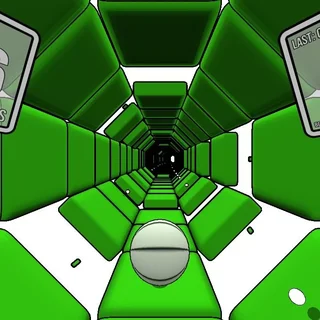
Run 2 unblocked: play Run 2 online free right here in your browser — no download, no sign-up, works on a school Chromebook.
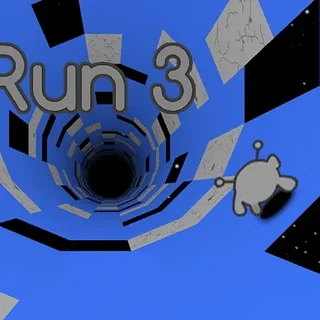
Run 2 is the acclaimed sequel in Joseph Cloutier's tunnel-running series, bridging the straightforward challenges of the original game with the sprawling mechanics later expanded in Run 3. Set inside floating cosmic tunnels high above the void, the game tasks you with guiding your character through broken paths, shifting platforms, and treacherous chasms where one mistimed leap sends you tumbling into deep space.
What makes the experience so compelling is its gravity-defying movement system. Instead of remaining locked to a single flat floor, running against any side wall immediately rotates the tunnel around you. The side wall becomes your new walking surface, turning dead ends and gaping holes into runnable corridors. It transforms every course from a simple obstacle sprint into a dynamic 3D spatial puzzle where survival depends on spotting alternate paths before the ground underneath you vanishes.
Choosing your character
Before launching into the courses, you choose between two playable characters that handle differently:
- The Runner: Balanced, responsive, and precise. The Runner gives you full steering authority while airborne, making this character ideal for tight jumps, narrow ledges, and technical stages where overshooting a ledge means instant defeat.
- The Skater: Fast, aggressive, and momentum-driven. The Skater glides at high speeds and launches across massive gaps with ease, but turning requires early commitment and mid-air corrections are far more difficult.
Controls and movement
Getting started takes only a moment, but mastering the speed of later stages requires sharp reflexes and quick reading of upcoming terrain:
- Left and Right Arrow keys (or A and D): Steer your character across the current floor and transition onto side walls.
- Spacebar or Up Arrow (or W): Jump over holes, crumbling tiles, and obstacles. Holding the jump key slightly longer provides maximum jump height.
- P key: Pause the game to take a breather or adjust settings.
Strategies for conquering tough levels
Success in deeper levels comes down to spatial awareness and forward planning. Keep these practical techniques in mind during your playthrough:
- Plan your wall rotations early: Do not wait until the last tile disappears before turning. Look ahead down the tunnel corridor to spot which wall offers continuous solid ground.
- Tap lightly on the Skater: Because the Skater maintains high forward velocity, light directional taps prevent accidental wall transfers that could throw you off balance.
- Use gravity shifts to skip hazards: Rotating the tunnel is often much safer than attempting risky high-speed hops across fragmented floor tiles.
Other runners on Run 3
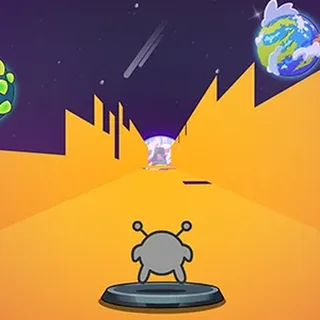
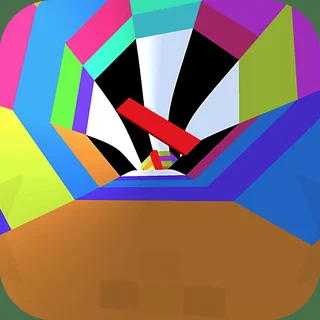
If you enjoy the fast-paced reflex challenges of Run 2, check out the other runner games available in the catalogue. Run 3 expands on this formula with dozens of unlockable alien characters and an interconnected galaxy map. Tunnel Rush delivers high-speed obstacle dodging with vivid neon aesthetics, while OvO tests your precision movement with wall jumps, slides, and parkour mechanics across compact obstacle courses.
Run 2 runs directly in your web browser with no downloads or setup required, making it easy to jump in for quick practice rounds or settle in to complete every stage.
Questions about Run 2
Is Run 2 unblocked at school?
Run 2 runs in an ordinary browser tab from run3.us.com, with nothing to download or install, so it plays on most school Chromebooks and work computers. If a network filter blocks the site, only that network's administrator can change it.
What is the difference between the Runner and the Skater?
The Runner moves at a steady pace and offers tighter airborne control for tricky jumps. The Skater travels much faster and carries more jump momentum, making long gaps easier to clear but harder to stop.
What are the keyboard controls for Run 2?
Use the Left and Right Arrow keys or A and D to move sideways. Press Space, Up Arrow, or W to jump. Press P to pause the game.
How does gravity shifting work in Run 2?
When you steer onto the left or right wall of a tunnel, the entire screen rotates ninety degrees. That wall instantly becomes your new floor, allowing you to bypass missing tiles.
Does Run 2 save my level progress?
Yes, your unlocked levels and character progress are saved locally in your browser cache, so you can pick up where you left off whenever you return.